How to use Remove AI Meta
Drop a file, pick a mode, clean, and download. The file is not uploaded.
- 1 Select
- 2 Scrub
- 3 Verify & download
AI only leaves camera EXIF and GPS. All metadata removes them.
Free clean used One-time payment · Card, Apple Pay, Google Pay
1 free image on this browser. No account. $8.99 one-time for unlimited images and one ZIP.
The cleaned file shows up here.
Cleaning…
One-time · No signup · Card, Apple Pay, Google Pay
Pro also downloads a removal receipt listing what was cleared.
The free file is yours. Pro also downloads a removal receipt for it.
Field report
Before
After
Same pixels. Cleared fields are listed here.
Remove AI Meta inspects and strips image metadata in your browser: C2PA Content Credentials, AI provenance tags, EXIF, GPS, XMP, IPTC, and known generator text chunks. This page matches the live tool — every step was run with real sample files and captured as screenshots.
One image is free. Pro is $8.99 one-time (unlimited + ZIP). SynthID / TrustMark stay in the pixels. Platform AI labels are not guaranteed gone after a clean After report.
How to use Remove AI Meta on this page: drop a JPEG, PNG, or WebP, pick a mode, clean, and download the file the After report describes.
What it does
- Reads the file you drop and lists findings by category (C2PA, AI, GPS, EXIF, XMP, IPTC, other).
- Strips the categories your mode selected, then re-scans the cleaned bytes (After column).
- Downloads a cleaned still. The picture data is not rewritten for a marketing “AI wipe” — metadata leaves; pixels stay.
Supported formats and limits
- Accepted: JPEG, PNG, WebP, HEIC/HEIF, AVIF, GIF, TIFF, BMP (from the file picker
acceptlist and byte sniffing). - Not on the image tool: video (MP4, MOV, WebM). PDFs go to remove metadata from a PDF. Word and Office files go to remove metadata from a Word document.
- Size: browser decode can fail around ~100 megapixels; very large files may strip metadata without a preview.
- Quota: 1 free clean per browser (same file can be re-cleaned in-session without spending quota again). Pro unlocks unlimited cleans and one ZIP for a set.
Strip modes
All metadata
Removes every detected EXIF / XMP / IPTC / C2PA category in the report. Home tool default.
AI only
C2PA/JUMBF, Content Credentials XMP, AI DigitalSourceType, known AI PNG text. Leaves ordinary camera EXIF/GPS.
EXIF / GPS
GPS, device, common EXIF/IPTC. Also drops C2PA so a privacy pass does not leave a provenance manifest.
Steps (with screenshots)
- Dropzone. Open the home tool (or the tool below). Drop an image or use the file picker.
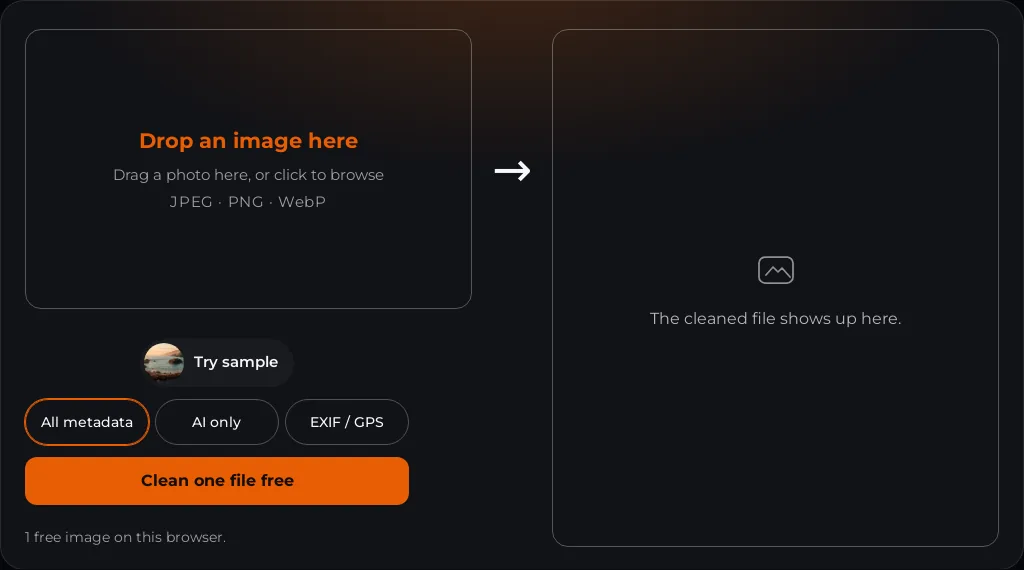
Step 1 — empty tool. Desktop capture of the live dropzone. - Inspect a camera JPEG with EXIF + GPS. We used a real Canon EOS R5 fixture with GPS
37.77472, −122.41917. Inspect only lists findings; the picture is unchanged.
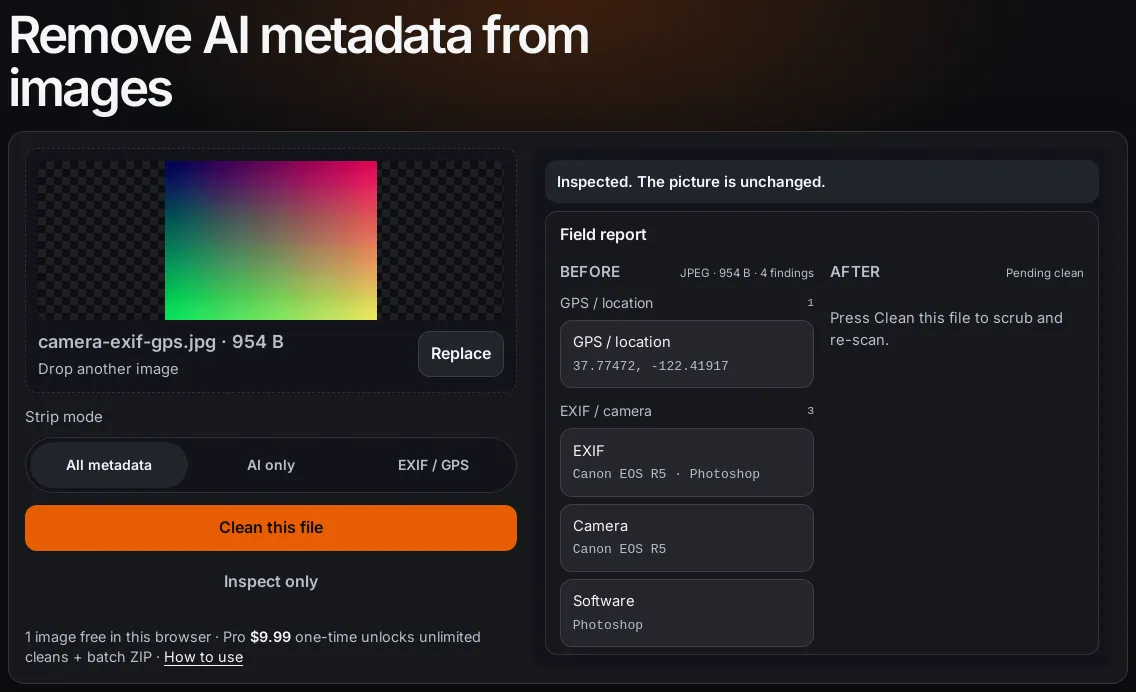
Step 2 — Inspect only on camera-exif-gps.jpg (4 findings: GPS + EXIF). - Choose a mode. Segment control labels: All metadata · AI only · EXIF / GPS. The native
select uses the longer names (Strip all / AI provenance / Privacy EXIF).
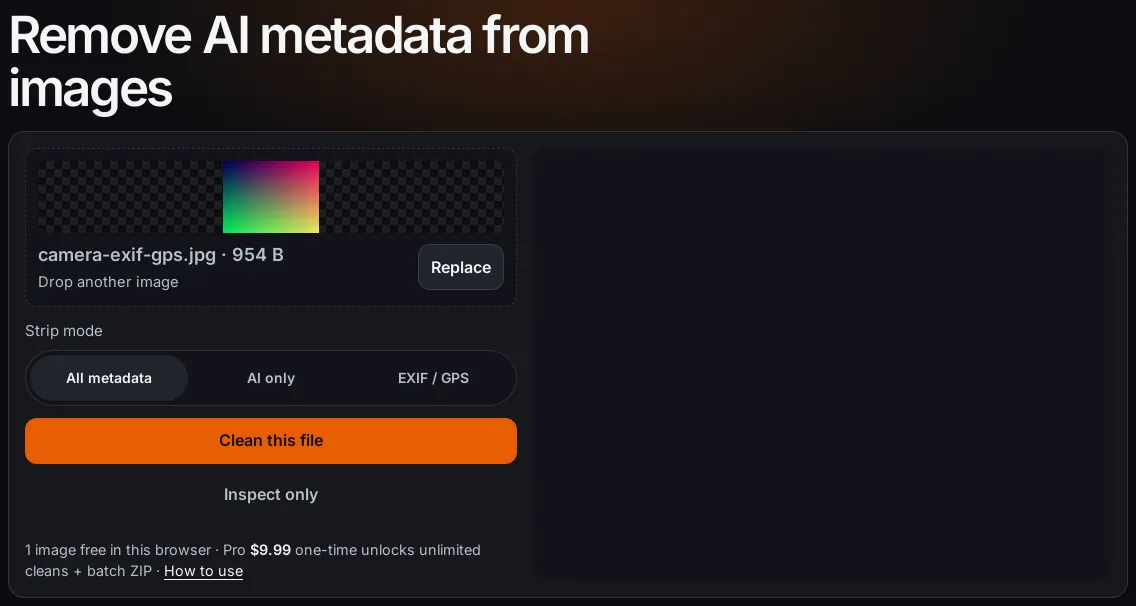
Step 3 — mode set to All metadata before cleaning. - Clean and re-scan. Press Clean this file (or Clean one file free). Status
becomes “Cleaned. N fields removed. Your picture is unchanged.” Download cleaned image appears.
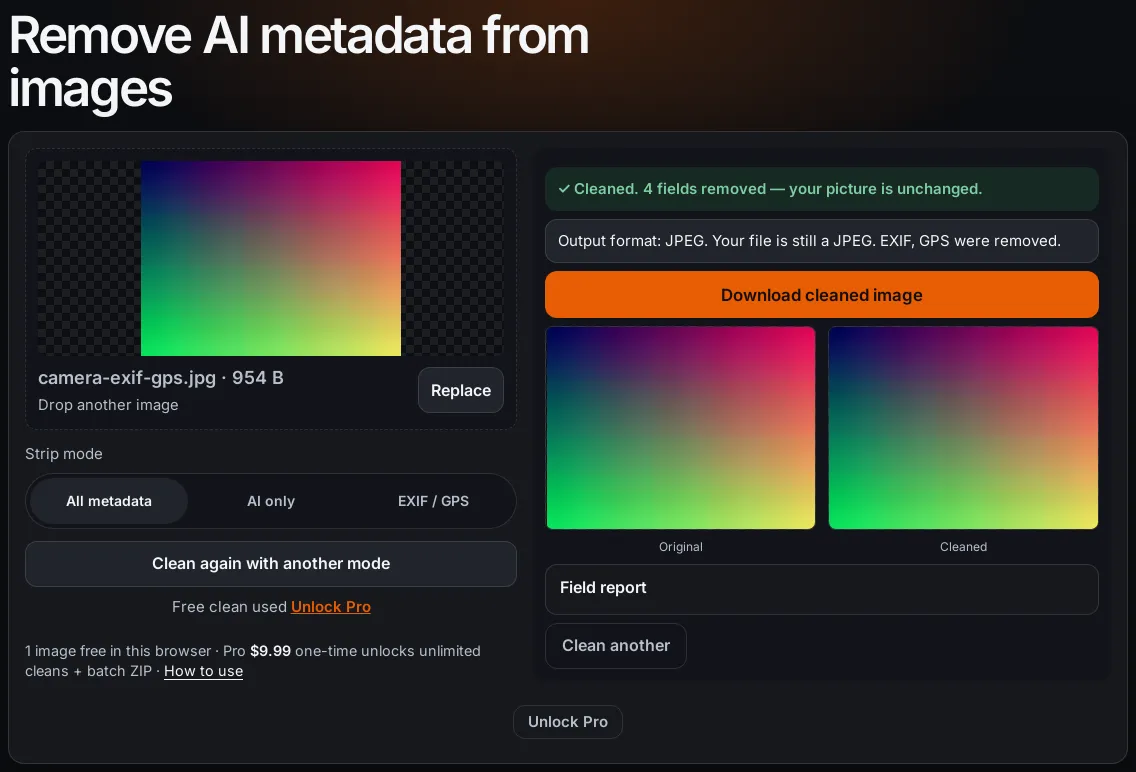
Step 4 — clean + verify on the camera JPEG. Free clean used chip appears. 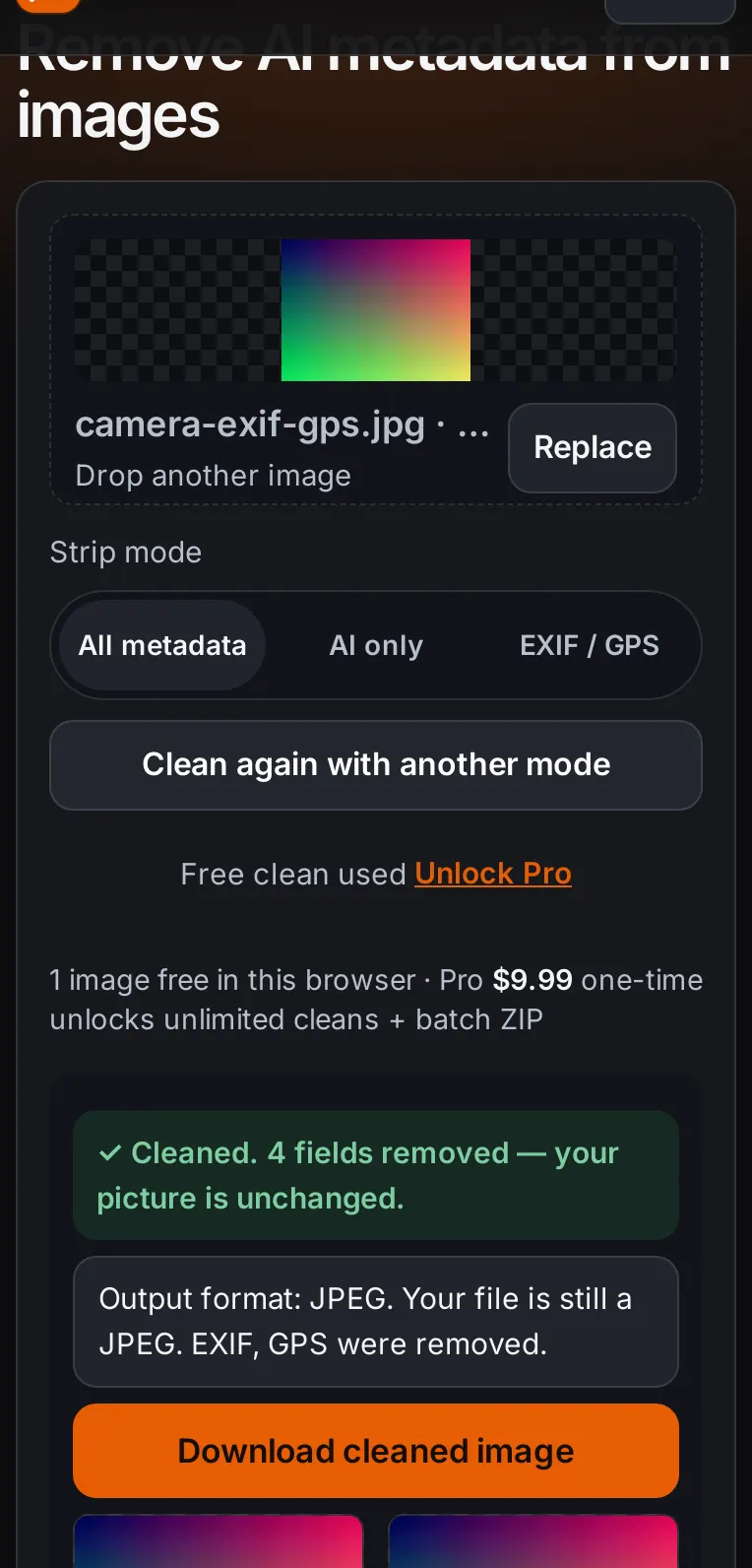
Same step on a 390px phone viewport. - AI PNG parameters. A PNG with Stable Diffusion-style
parametersandDigitalSourceTypetext chunks reports under AI provenance (2 findings).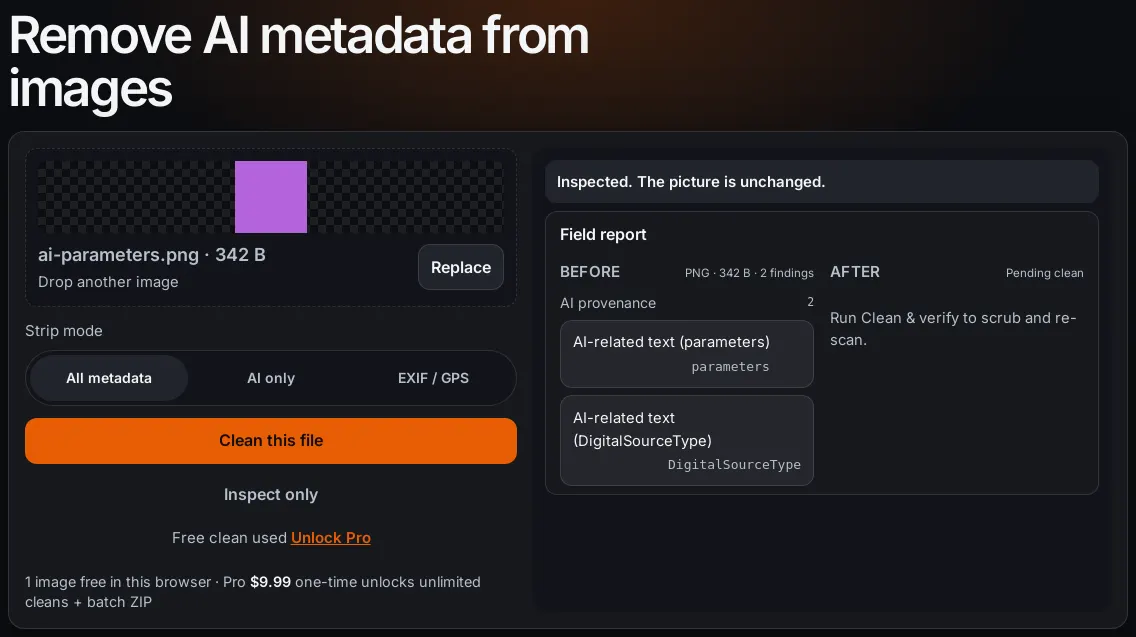
AI provenance findings on ai-parameters.png. - C2PA sample. The public sample JPEG carries C2PA / JUMBF (APP11), a C2PA pointer in XMP,
AI provenance XMP, GPS, and EXIF — six findings before clean.
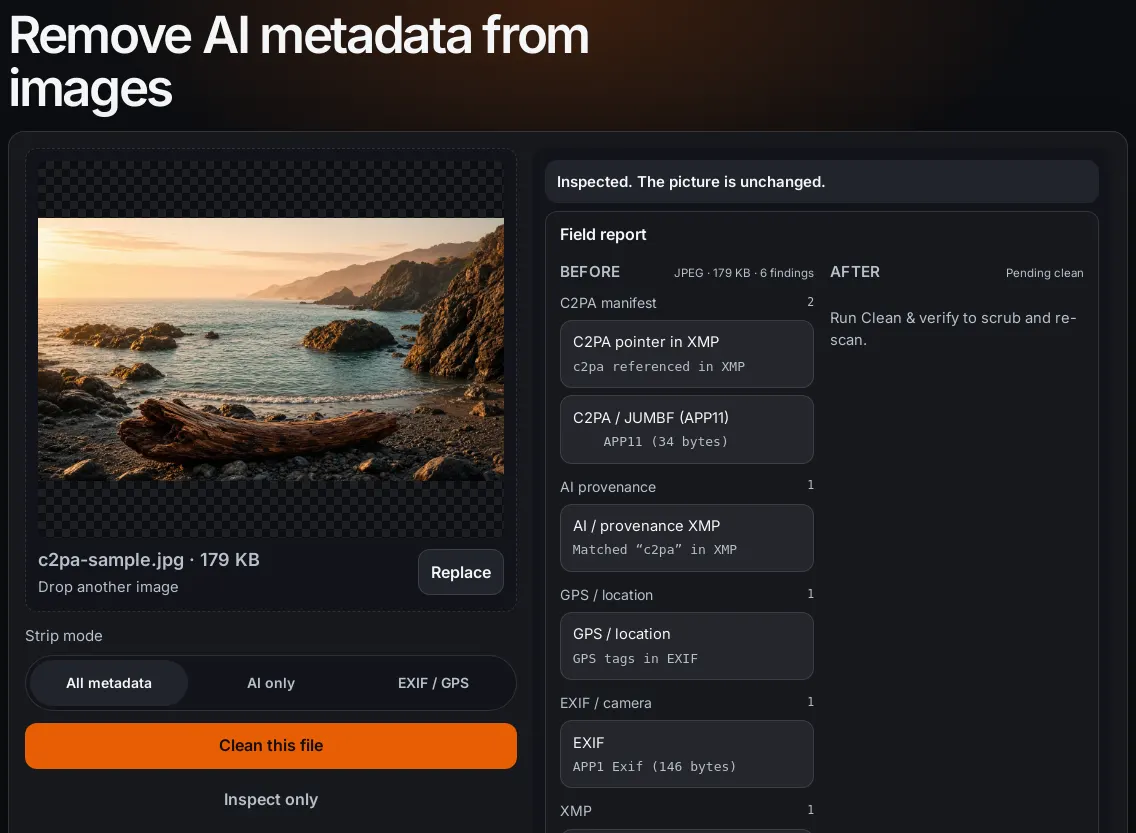
C2PA + AI + GPS + EXIF on the Content Credentials sample. - Paywall (do not pay to follow along). After the free clean, a second file is still cleaned
in your browser. The download stays behind one button, Download — $8.99, and the line
One-time · No signup · Card, Apple Pay, Google Pay.
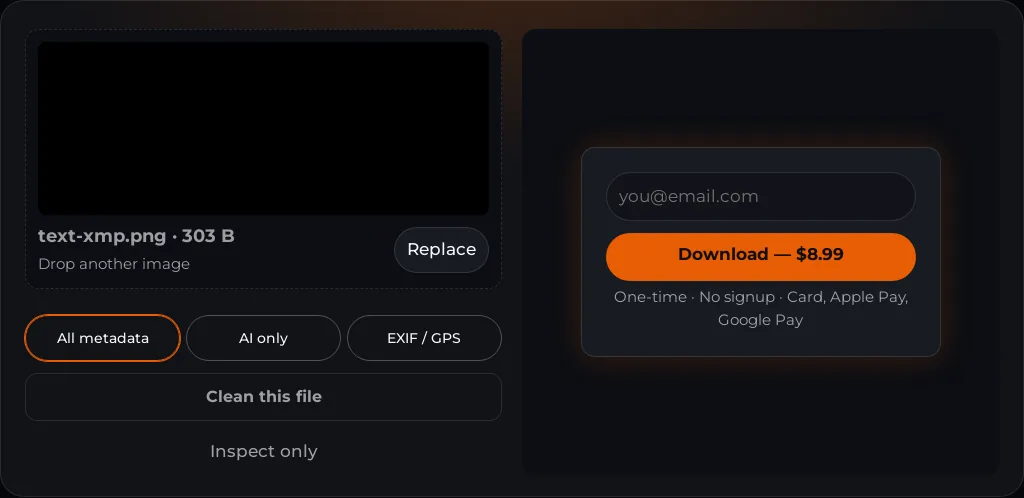
Step 5 — free quota wall. Screenshot only; no purchase required for this guide.
Honest limits (SynthID, LinkedIn, platforms)
- SynthID / TrustMark: not removed. They are not EXIF or C2PA metadata.
- LinkedIn CR icon: file strip only helps the next upload. No live-post delete control.
- Instagram / Facebook / TikTok / Pinterest labels: metadata prep only. Classifiers and disclosures can still label a clean file.
Troubleshooting (messages from the live tool)
- Videos (MP4, MOV, WebM) aren't supported… — still images only; save a frame as JPEG/PNG.
- PDF files aren't supported… — export a page as an image first.
- This file doesn't look like a valid JPEG, PNG or WebP… — corrupt or mislabeled bytes.
- Your browser couldn't open this image… over roughly 100 megapixels… — re-export smaller.
- This HEIC/HEIF file is valid, but your browser couldn't decode it… — try Safari/Chrome desktop or export JPEG.
- File over 25 MB. Image too wide (max 12000px). Image too tall (max 12000px). Image exceeds 100 megapixels. — save a smaller JPEG and drop that file.
- Download — $8.99 with One-time · No signup · Card, Apple Pay, Google Pay: the free clean is used. Buy Pro or restore a purchase.
Pricing
1 image free in this browser · Pro $8.99 one-time unlocks unlimited cleans + batch ZIP · no subscription. See Pricing and Restore purchase.
Site pages
- About — who runs the tool, and how payment works.
- Contact — how to reach the site.
- Changelog — product changes, not a status page.
- Privacy — files stay in the browser.
- Terms — the rules for using the tool.
- Photo location finder — read GPS before you clean.
- Remove EXIF on Android — what a phone export still carries.
- Remove metadata from a PDF — a document, not a photo.
- Remove XMP and IPTC — creator, copyright, and caption.
- ExifTool remove all metadata — the command we measured.
- Adobe Firefly image metadata — Content Credentials on the download.
- Canva AI content label — a real photo after Background Remover.
- Samsung AI-generated content label — visible text versus C2PA.
- Copilot Made with AI label — the watermark setting, then the file.
- Does a screenshot remove AI metadata? — C2PA usually drops. SynthID stays.
- batch strip C2PA and AI labels — many photos, one ZIP.
- LinkedIn AI-generated label — the CR panel, not Instagram.
- Instagram Story — delete the Story, then post a cleaned still.
- Made with AI on X — an automatic label locks on the post.
- Video cover or still — a JPEG or PNG. The video file is not opened.
Related intent pages
Questions people ask
What formats does Remove AI Meta support?
Still images: JPEG, PNG, WebP, HEIC/HEIF, AVIF, GIF, TIFF, and BMP. AVIF comes back as a clean JPEG (PNG if transparent). TIFF may come back as PNG or a cleaned TIFF. GIF and BMP keep their format. The image tool is for still images. PDFs use the remove metadata from a PDF page. Word and Office files use the remove metadata from a Word document page. Video (MP4, MOV, WebM) is not supported.
What is the difference between AI only, EXIF / GPS, and All metadata?
AI only removes C2PA/JUMBF, Content Credentials XMP, AI DigitalSourceType, and known AI PNG text, and leaves ordinary camera EXIF including GPS. EXIF / GPS removes GPS, device, and common EXIF/IPTC, and also drops C2PA. All metadata removes every detected category in the report. The home tool opens on All metadata.
Does this remove SynthID or TrustMark?
No. SynthID and TrustMark are soft-binding watermarks in the pixels. This tool only strips ordinary provenance metadata (EXIF, XMP, IPTC, C2PA, known AI text). A clean After report does not force Instagram, Facebook, TikTok, LinkedIn, or Pinterest to drop a label.
How much does it cost?
One image is free in this browser. Pro is $8.99 one-time: unlimited cleans and one ZIP for a set. No subscription. Restore a purchase from /restore with the email you used at checkout.
Is my image uploaded to a server?
Stripping runs in your browser. The cleaned bytes are produced locally. Billing and restore use the payment API; they do not need your image file.